Existing setups
Starlink already in, but not working the way it should?
Most trouble with a Starlink that’s already set up comes down to three things: where the dish sits, where the router sits, and how the cable got between them. Here’s how to narrow it down yourself, and what we do when it needs hands on.
Guide updated September 2026.
Step one
Rule out Starlink’s end first
Before anything else, open the Starlink app and look for an outage or a service notice. If the trouble is on Starlink’s network, moving the dish won’t change it, so it’s worth checking before you book anyone, us included.
Step two
Reading the obstruction map
The app’s obstruction check is the quickest way to see whether the dish is in the wrong spot.
Open the obstruction check
Open the Starlink app and run the obstruction check for your dish. It shows the patch of sky the dish can see.
Give it time
The dish builds its map over hours of normal use, so a longer look is truer than a quick one.
Find the blocked patches
Open sky is clear. Patches marked as obstructed are something in the way: a roofline, a tree, a neighbour’s second storey.
Send us a screenshot
Add a photo showing the dish in its current spot. Between the two, we can often tell you the fix before anyone gets on a ladder.
Hands on
The fixes we do most often
None of these need new Starlink kit. They need the dish, the cable or the Wi-Fi put where it should have gone.
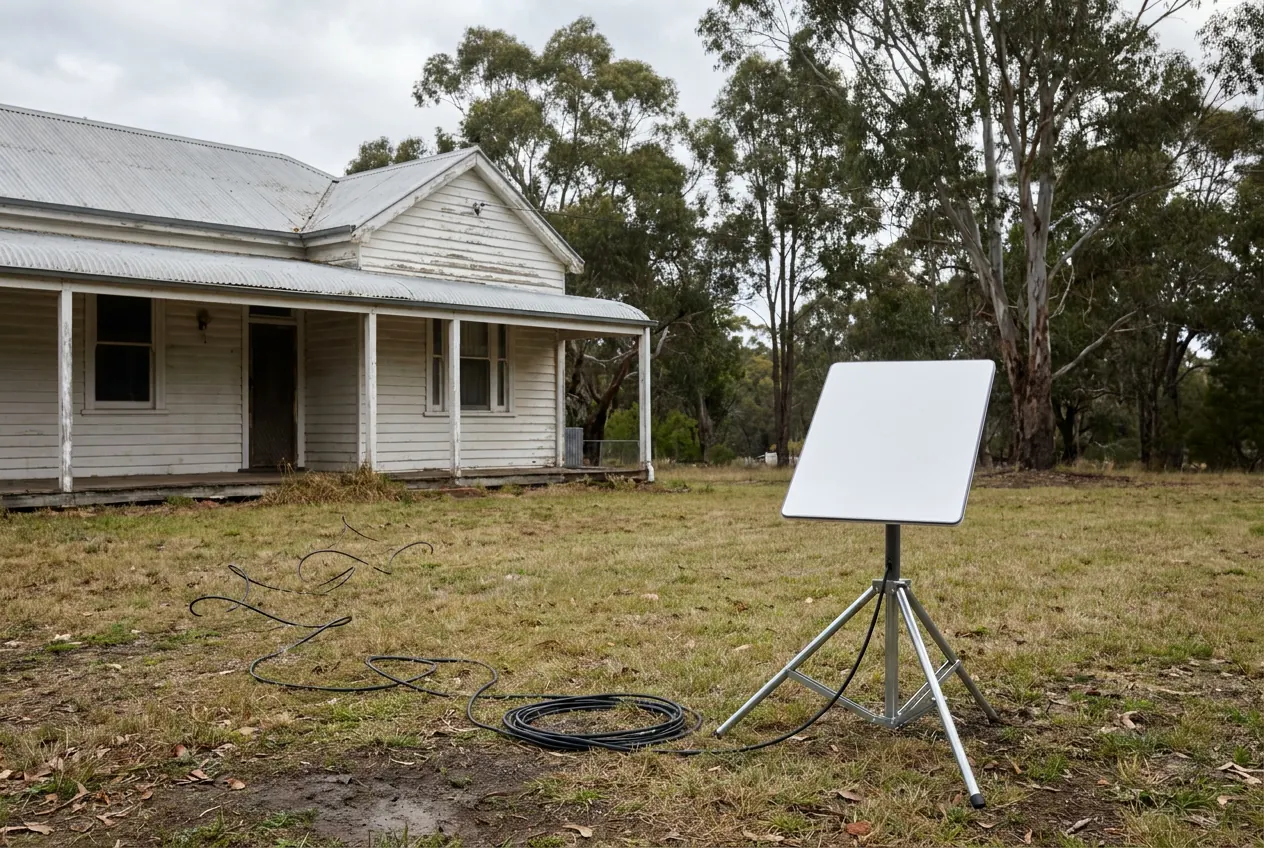
Dish still on the lawn
From the stand to a proper mount
The stand it comes with is a fine start and a poor home. Mowers, dogs, kids and wind all get at it. We move it to a roof, wall or pole mount with the same view of the sky, or a better one.
Trees have grown in
Up and out of the trees
A dish that worked well two summers ago can lose sky as the trees grow. The fix is usually height: a pole, a higher spot on the roof, or the shed if it stands in the clear.
Cable across the yard
A cable that isn’t a trip hazard
A cable left across a path or through a window gets pinched, kinked and chewed. We re-run it on a protected route and seal it where it comes inside.
Good signal, poor Wi-Fi
When the dish isn’t the problem
If the app shows a strong connection but the back rooms struggle, look at the router. Moving it, or adding a Wi-Fi point or a cabled access point, usually sorts it.
Loose mount or a leak
A bracket or entry that’s let go
A bracket that’s worked loose, a roof penetration that weeps in winter, a cable entry that was never sealed. We fix it properly, or move it somewhere better.
The household has grown
Wi-Fi that has to reach further
More people working from home, a new granny flat, cameras on the shed. The connection now has to reach places it was never set up for. Connecting the shed and other buildings
We work on setups we didn’t install. Faults in the Starlink hardware, account questions and warranty claims are for Starlink support, under Starlink’s terms, and we’ll tell you what to ask them.
Questions
Questions people ask
Will you re-mount a dish another installer fitted?
Yes. We check the new spot with the obstruction check first, then remount the dish and re-run the cable to suit.
It keeps dropping out. Is the dish in the wrong spot?
Maybe. Check the app for an outage, then look at the obstruction map. If it shows things in the way, the dish needs a better spot. If the map is clear and it still drops out, send us what the app shows and we’ll help narrow it down.
Will moving the dish affect my warranty?
That’s a question for Starlink, under its terms, so check with them if you’re unsure. What we can do is tell you exactly what we’ll change before we touch anything.
Do I need a new mount?
Not always. Sometimes the existing mount just needs moving or bracing. If it’s the wrong type for the spot, we’ll say so and quote the replacement.
Send us what the app shows
A screenshot of the obstruction map and a photo showing the dish in its current spot is plenty to start. Tell us your town and what’s going wrong.