Independent local installer — not affiliated with Starlink or SpaceX.

Starlink installation

How we install Starlink

The steps we follow on site, how a mount is chosen, what the price covers and the support after. Useful if you like the detail. None of it is needed to get a quote.

Install day

Install day in three parts

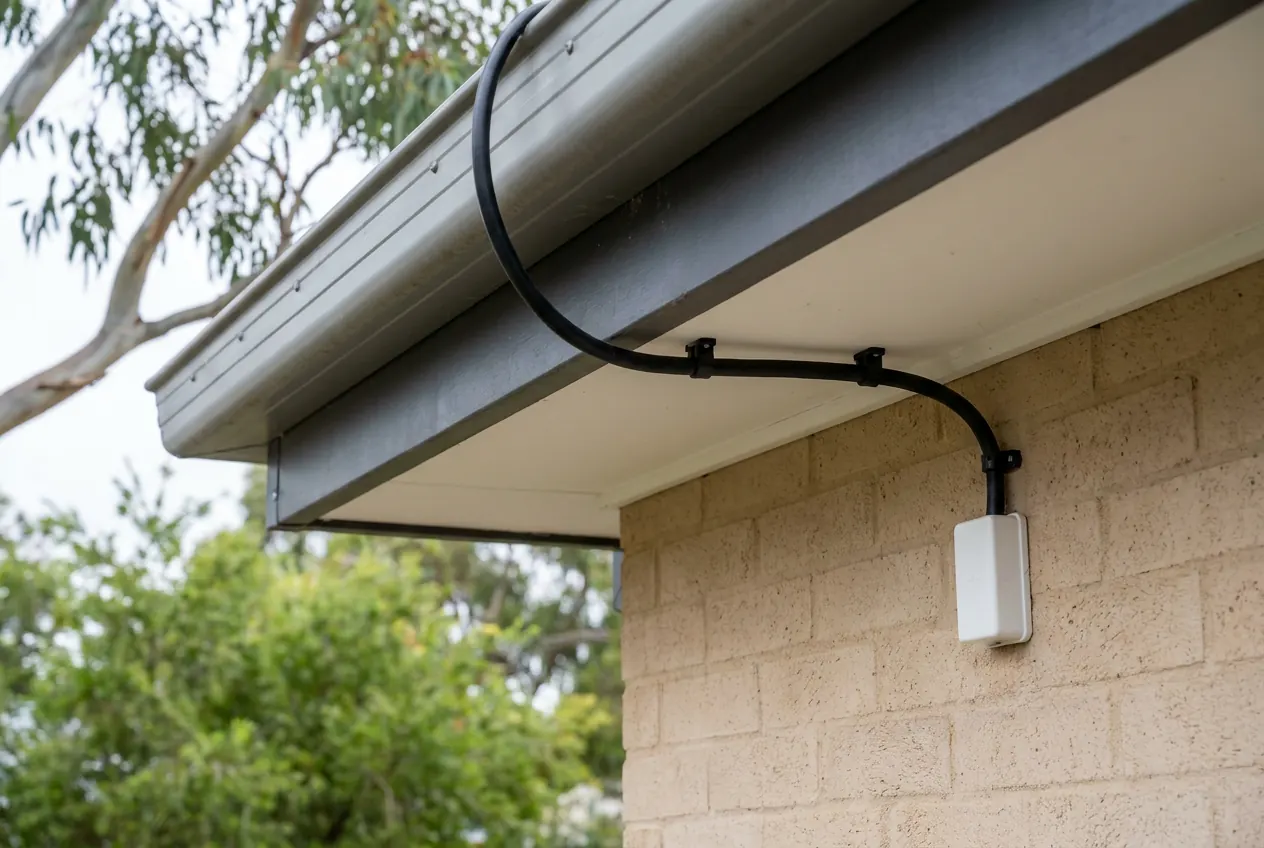
A black cable clipped in a tidy line along the underside of an eave, then down a brick wall into a small white weatherproof box, with a gum tree softly blurred behind.
  1. Sky check and the plan

    We ask where you need the connection, scan the sky from each likely spot with the Starlink app, then show you the dish position, cable route and router spot. Nothing is drilled until you're happy with it.

  2. Mount, cable and set-up

    The mount is fixed to suit the surface and the wind. Cable runs through the roof space and walls where the building allows and is sealed where it comes in. The router, and any extra Wi-Fi gear in the quote, goes where it covers the rooms you use.

  3. Tested where you use it

    A speed test at the router, a check in each room or building you told us about, and a walk-through of the app and the simple checks to run if the connection drops out.

Mount guide

Which mount? We work that out with you

The mount is chosen on site, after the sky check. This guide is here so you know what the options are, not so you have to pick one.

On the house roof

The usual answer when the house itself sees open sky. The dish sits above fences and most trees, with a short cable run into the roof space.

Used when: There's safe roof access and a clear view, on metal or tile, one storey or two.

Worth knowing: A second storey or a steep pitch means more equipment and more time up top.

On the shed roof

When the shed has the best sky on the property, the dish goes there and the connection comes back to the house by data cable or a wireless link.

Used when: Trees or a hill shade the house, but the shed stands out in the open.

Worth knowing: The link back to the house is part of the plan and the quote. How the link between buildings works.

On a pole by the house or shed

A galvanised pole lifts the dish clear of whatever blocks it. It can be fixed to the side of the house or shed, or stand on its own footing in the yard.

Used when: Trees, a slope or a neighbour's building take too much of the sky.

Worth knowing: Taller poles need proper footings or bracing, and the cable route back is settled first.

On a wall bracket

A bracket on brickwork, framing or fascia that holds the dish out from the wall and up past the gutter line.

Used when: The roof is fragile, awkward to reach or shaded, but a wall faces open sky.

Worth knowing: The wall has to be solid, and the dish still needs clear sky above the eaves.

On a ground frame

A sturdy frame out in the yard or paddock, with no roof work at all.

Used when: The best sky is out in the open and there's room to keep it that way.

Worth knowing: It sits low, so it needs a spot clear of mowers, stock and fences, and a protected cable run back.

Connecting a shed, workshop or granny flat as well? Here's how we get the internet out to other buildings.

Scope and price

Installation range: $400–$500

That's a standard roof install. Here's what it includes, what can change it and what you buy yourself.

Included

Everything in the install day above, on a roof mount, with standard fixings.

You buy separately

Your Starlink kit and monthly plan. The kit notes are further down.

You'll have a confirmed price before anything is booked.

Get an installation quote

What can move the price

Mount type
Roof mounts are the simplest. Poles and ground frames need more materials and labour.
Cable run
Longer distances, and runs through walls and ceilings, add time. If the dish will sit a long way from the house, the standard Starlink cable may not reach; check with us before buying the kit.
Height and access
Two storeys, steep pitches and awkward roof spaces call for more gear and care.
Network gear and other buildings
Extra Wi-Fi points, data cable, or a link out to the shed, workshop or granny flat.
Travel
Properties further out include travel, shown in the quote. See the towns on our run.

About the kit

Standard or Mini?

Standard

For a place where it's staying put

The larger dish, which normally comes with a separate router. The usual choice for a home, farm or business.

Mini

Compact, router built in

A smaller dish with the Wi-Fi router inside it. Made for travel, though a fixed mount at home works well too.

Harvey Norman sells the kit (stock varies by store, so call ahead), or you can order online at starlink.com. You own the hardware and hold the Starlink account and warranty; we do the installation. Models and plans are updated from time to time, and the Starlink website has the latest. Not sure which suits your place? Ask us before you buy.

Aftercare

After we've gone

If a bracket, cable or Wi-Fi point we fitted isn't doing its job, call us and we'll sort it. Faults with the Starlink hardware, your account or a network outage are handled by Starlink support, and we'll tell you what to ask them.

Your rights under the Australian Consumer Law apply.

Save our number: 0468 090 090

Questions

Installation questions

What does a Starlink installation cost?

A standard roof installation falls within the $400–$500 range, including the obstruction check, roof mount, cable run with a sealed entry, router set-up, speed test and walk-through. Pole and ground mounts, long or in-wall runs, two-storey access, links to other buildings and travel are quoted on top. The kit and plan are bought separately.

Is it worth paying someone to install Starlink?

For one router in a small home with open sky, a self-install often works fine. A professional install earns its keep when the dish needs height to clear trees, the cable needs hiding, or the connection has to reach a shed, workshop or granny flat. Send us a photo of your self-install and we'll tell you which camp you're in.

Starlink sells its own installation. What does an independent installer add?

When you order, Starlink may offer a professional installation through its own installers. Check what it covers and what it costs at checkout; for a simple roof job it may be all you need. An independent local installer is worth a look when the job is bigger than that: a pole, wall or ground mount chosen after a sky check, cable hidden through the roof space and walls, Wi-Fi set up for the rooms you actually use, or a link out to the shed, workshop or granny flat on the same visit. We're not part of Starlink, and if their option suits your place better, we'll tell you.

Are you part of Starlink?

No. We're an independent installer, not affiliated with, endorsed by or working for Starlink or SpaceX. You buy the kit and the plan from Starlink or a retailer, and we install it.

Do I need the kit before I book?

No need. Quoting doesn't depend on the kit, so we can price the job now and pick a day after it's delivered. Torn between the Standard and the Mini? Ask us first.

Standard or Mini for a house?

For a place where it's staying put, the Standard is the usual choice. The Mini suits travel and smaller setups. Tell us how you'll use it and we'll give you our view.

Can you install on a tile roof, or a double storey?

Yes to both. Tile gets brackets made for tile, and any lifted tiles go back as they were. Two-storey homes need more equipment and time up top, and the quote reflects that.

Can the cable be hidden?

Usually. It runs through the roof space and inside the wall where the house allows. Where it can't be hidden, it's clipped along a tidy line. You see the route before anything is drilled.

We'd rather keep off the roof. Is that possible?

Often. Wall, pole and ground mounts all avoid the roof, and the sky scan tells us which of them has a clear enough view.

Our Starlink is already installed, but the Wi-Fi is patchy. Can you help?

Yes. Often the dish is fine and the trouble is where the router sits, or how far the signal has to travel. We'll look at both and quote the fix. The fixes we do most often

Can Starlink work as a backup connection for a business?

Yes. We mount it and set up the Wi-Fi. If you want it to take over automatically when the main line drops, talk to whoever looks after your IT or router.

Can I keep the NBN while I try Starlink?

You can run both while you decide. Read your NBN contract terms before cancelling, and look up Starlink's current plans on its website.

Will heavy rain knock it out?

A heavy downpour can cause a brief dropout. Day to day, a clear view of the sky and a mount that doesn't move matter far more.

Can you help with poor mobile reception?

Starlink doesn't boost your mobile signal, but Wi-Fi calling can help indoors. Ask about setting up Wi-Fi calling where your phone and mobile provider support it. How Wi-Fi calling works over Starlink

Can you help with a caravan setup?

Tell us about the kit, the vehicle and how you'll use it, including how the van is powered, and we'll talk through the options.

How long does an install take?

Most are done in a single visit. Poles, long cable runs and links to other buildings add time, and we'll tell you how long yours should take when we quote.

Know what you need, or not sure yet?

Either way, a few details are enough for us to price the job and suggest a day.